Authorized ThinkCAR Australia Dealers
When looking for a ThinkCAR diagnostic tool in Australia, sticking with authorized dealers is a smart move. These retailers are officially partnered with ThinkCAR, meaning they stock genuine products and often have direct access to the latest software updates and technical support. Buying from an authorized dealer also usually guarantees you get the full manufacturer’s warranty, which is pretty important if something goes wrong with your new scanner. They’re the go-to for reliable service and authentic ThinkCAR equipment.
Authorized dealers are your best bet for getting the real deal. They often have specific promotions, like extended free updates on certain models, which can save you money down the line. Plus, they’re usually well-informed about the different ThinkCAR models and can help you pick the right one for your needs. It’s all about getting a quality product from a trusted source, and authorized dealers fit that bill perfectly.
Think about it: you want to make sure the diagnostic tool you’re buying is legitimate and supported. Authorized ThinkCAR Australia dealers provide that peace of mind. They’re committed to selling quality tools and backing them up with proper customer service. So, before you click ‘buy’ anywhere else, check if they’re on the official authorized dealer list.
Online Marketplaces for ThinkCAR Tools
Online marketplaces can be a good place to find ThinkCAR tools, but you’ve got to be a bit careful. Sites like eBay or Amazon might have various sellers offering ThinkCAR scanners, sometimes at competitive prices. It’s a convenient way to shop from home and compare different offers. Just remember, not all sellers on these platforms are authorized, so you need to do your homework.
When browsing these marketplaces, always check the seller’s reputation and read customer reviews. Look for sellers who clearly state they are selling new, genuine ThinkCAR products and offer a clear return policy. Sometimes, you might find a great deal, but it’s crucial to verify the seller’s legitimacy to avoid counterfeit products or issues with warranties. A little extra checking goes a long way.
It’s also worth noting that while you might find a bargain, purchasing from an unofficial seller could mean missing out on manufacturer support or warranty benefits. Always weigh the potential savings against the risks involved. For a tool as important as a ThinkCAR diagnostic scanner, ensuring you get a genuine, supported product is key.
Direct Purchase from ThinkCAR Australia
Buying directly from ThinkCAR Australia’s official website or their dedicated Australian portal is another solid option. This route often provides the most direct access to their product range, including the latest models and any special offers they might be running. It’s a straightforward way to ensure you’re getting exactly what you want, straight from the source.
When you purchase directly, you can be confident that you’re receiving a genuine ThinkCAR product, complete with the full manufacturer’s warranty and access to all their support services. They often have detailed product information available, helping you make an informed decision. It simplifies the process and removes any guesswork about authenticity.
This method is particularly good if you’re looking for specific models or need to be absolutely sure about the terms of service and update policies. ThinkCAR Australia’s direct channel is designed to give customers a clear and reliable purchasing experience, making it a top choice for many.
Key Features Of ThinkCAR Diagnostic Tools
Comprehensive Vehicle Coverage
ThinkCAR diagnostic tools are built to work with a huge range of vehicles. We’re talking over 10,000 car models from more than 150 brands, covering American, Asian, and European makes and models from 1996 up to the latest releases. This broad coverage means that whether you’re working on a common sedan or a more specialized truck, your ThinkCAR tool likely has you covered. The continuous online updates add even more vehicle models and software, so your tool stays current without extra costs.
This wide compatibility is a big deal for mechanics and DIYers alike. It means fewer tools cluttering up the workshop and more confidence that you can tackle most jobs that come your way. The ThinkCAR diagnostic tools aim to be a one-stop shop for vehicle diagnostics.
The extensive vehicle support is a major selling point for ThinkCAR. It’s designed to be adaptable, making it a practical choice for a variety of automotive needs. This means you can spend less time worrying about whether your tool will work and more time fixing cars.
Advanced Diagnostic Functions
Beyond just reading basic codes, ThinkCAR scanners offer deep diagnostic capabilities. They can perform full system diagnostics, meaning they can check the Engine Control Module (ECM), Transmission Control Module (TCM), Anti-lock Braking System (ABS), Supplemental Restraint System (SRS), and many more. This level of detail helps pinpoint issues accurately.
One standout feature is bi-directional control, also known as actuation tests. This allows the tool to send commands to vehicle components to test their functionality. For example, you can command the fuel pump on or off, test the A/C clutch, or even check individual sensors. This active testing is invaluable for troubleshooting.
ThinkCAR tools also include advanced functions like ECU coding. This is useful for reprogramming vehicle modules after repairs or upgrades, or even for activating hidden features. It’s a function typically found on much more expensive professional equipment.
User-Friendly Interface and Updates
Getting a powerful diagnostic tool is one thing, but being able to use it easily is another. ThinkCAR diagnostic tools are designed with a user-friendly interface, often featuring large touch screens and intuitive menus. This makes navigating through complex diagnostic procedures much simpler, even for those who aren’t tech wizards.
Updates are handled through Wi-Fi, making it easy to keep your tool’s software and vehicle data current. This means you’re always working with the latest information, which is critical for diagnosing newer vehicles and complex systems. The process is usually straightforward, often just a few clicks.
The combination of a clear interface and simple update process means less downtime and more efficient work. It’s about making advanced diagnostics accessible.
ThinkCAR provides regular updates, which are vital for staying ahead in the automotive repair world. These updates not only add new vehicle models but also improve existing functions and introduce new diagnostic capabilities. This commitment to updates helps maintain the tool’s long-term value.
Essential Checks Before Purchasing A ThinkCAR Scanner
Before handing over your cash for a ThinkCAR diagnostic tool, a few smart checks can save you headaches later. It’s not just about picking the flashiest model; it’s about making sure it fits your needs and your vehicle. Think about what you’ll actually use it for. Are you a DIYer looking to do basic maintenance, or a professional needing deep system access? Knowing this will guide your choice.
Always verify model compatibility with your vehicle. This is super important. Not all scanners work with all cars, or even all systems on a car. Some ThinkCAR models might have advanced features that aren’t supported by older vehicles, or specific makes and models. A quick check on the ThinkCAR website or with the seller can prevent disappointment. And if you’re purchasing through an Australian ThinkCAR Retailer like AutoTech Workshop Solutions’ ThinkCAR collection, you can also confirm exactly what’s included and supported across models such as ThinkTOOL Expert 195 with ThinkLINK VCI, ThinkTOOL Max, and ThinkTOOL Master X2. You don’t want to buy a tool only to find out it can’t read your car’s transmission codes.
Confirming the included software and update policies is also key. Does it come with the latest software version? How often are updates released, and are they free or do they cost extra? Some ThinkCAR tools offer lifetime free updates, which is a big plus. Also, assess the included maintenance and reset functions. Does the scanner have the specific reset functions you need, like oil light reset, battery matching, or steering angle sensor calibration? These functions can vary significantly between models, so make sure the one you’re eyeing has what you need for your car maintenance tasks.
Understanding ThinkCAR Tool Capabilities
ThinkCAR diagnostic tools offer a lot for mechanics and car enthusiasts alike. They go beyond just reading basic trouble codes. These tools are built to get into the nitty-gritty of a vehicle’s systems.
Full System Diagnostics Explained
ThinkCAR scanners can check all the major electronic systems in a car. This includes the engine, transmission, ABS, airbags, and more. They read and clear codes, show live data, and even retrieve ECU information for each system. This deep dive into every system helps pinpoint problems accurately. It’s like having a full picture of the car’s health, not just a snapshot.
Bi-Directional Control and Actuation Tests
This is where ThinkCAR tools really shine. Bi-directional control, also known as actuation tests, lets you send commands to vehicle components. You can tell the fuel pump to turn on, cycle the A/C clutch, or test other actuators. This is super helpful for figuring out if a part is working correctly or if it’s failed. It saves a lot of guesswork.
ECU Coding and Component Matching
For more advanced work, ThinkCAR scanners provide ECU coding and component matching. ECU coding lets you reprogram control modules after repairs or replacements. Component matching ensures new parts are recognized by the car’s computer. This is vital for things like replacing a battery or a control module. It makes sure everything works together as it should. The ThinkCAR Thinktool PD8, for example, has these advanced features.
Support and After-Sales Service For ThinkCAR Users
Dedicated Customer Support Channels
When you get a ThinkCAR tool, you’re not just buying a piece of equipment; you’re joining a community. ThinkCAR Australia makes it pretty clear they want to help you out. They have specific ways for you to get in touch, whether it’s through email or maybe a phone number listed on their site. It’s good to know there are actual people you can talk to if something goes sideways with your diagnostic scanner.
They aim to provide quality support, which is a big deal when you’re dealing with car diagnostics. You don’t want to be stuck with a tool that isn’t working right and have no one to call. Having these dedicated channels means you can get answers to your questions or help with any issues that pop up, keeping your work or hobby moving along smoothly.
It’s always a good idea to check their official website for the most current contact information. This way, you’ll have the right email address or phone number ready if you need assistance with your ThinkCAR device.
Accessing Expert Technical Assistance
Sometimes, a quick email isn’t enough. For those trickier problems or when you need a deeper dive into a specific function of your ThinkCAR scanner, expert technical assistance is key. ThinkCAR has experienced engineers and technicians who work on making their products better. These are the folks who really know the ins and outs of the diagnostic tools.
Getting this kind of help can make a huge difference. Maybe you’re trying to figure out a complex ECU coding procedure or troubleshoot an unusual vehicle communication error. Accessing these experts means you can get guidance from people who understand the technology at a high level. They can help you get the most out of your tool.
Think about it like this: you wouldn’t try to fix a major engine problem without the right knowledge, right? The same applies to advanced diagnostic functions. Having access to technical assistance ensures you’re not just guessing; you’re getting informed advice to solve the problem correctly.
Understanding Warranty and Update Services
When you invest in a ThinkCAR diagnostic tool, understanding the warranty and update services is super important. It’s not just about the initial purchase; it’s about what happens after. ThinkCAR provides updates to keep their software current with new vehicle models and diagnostic protocols. This means your tool stays relevant and effective over time.
Make sure you know what the warranty covers and for how long. This protects your investment if any hardware issues arise. Also, check the details about software updates – are they free for a certain period? Do you need to pay for them later? Knowing this upfront helps you budget and plan.
Keeping your ThinkCAR tool updated is like giving it a fresh set of eyes. It allows it to see and understand the latest cars and their complex systems, preventing you from being left behind with outdated technology. This commitment to updates is a big part of what makes a ThinkCAR scanner a smart buy for the long haul.
Maximizing Your ThinkCAR Investment
Leveraging Special Functions For Maintenance
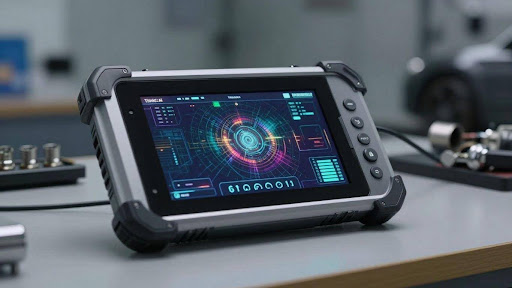
THINKCAR tools go beyond basic diagnostics, offering a suite of special functions designed to streamline common maintenance tasks. These features can save significant time and money compared to dealership visits. For instance, functions like ABS bleeding, DPF regeneration, and battery matching are readily available. Properly utilizing these functions means you can handle more service jobs in-house.
Think about tasks like resetting the tire pressure monitoring system (TPMS) after a tire change or recalibrating the steering angle sensor after an alignment. These are routine jobs that a THINKCAR scanner can manage with ease. The key is to familiarize yourself with the specific maintenance functions your THINKCAR model supports and understand their application to different vehicle systems.
It’s also worth noting that many of these special functions require specific procedures. Always consult your vehicle’s service manual and the THINKCAR tool’s documentation to ensure you’re performing these maintenance tasks correctly. Incorrect use could lead to further issues, so a little caution goes a long way.
Utilizing Health Reports For Vehicle Health
One of the standout features of many THINKCAR diagnostic tools is the ability to generate comprehensive vehicle health reports. After a scan, the tool compiles data from all checked systems, presenting it in an easy-to-understand format. This report acts as a snapshot of the vehicle’s current condition, highlighting any detected fault codes or system anomalies.
These reports are incredibly useful for both professional mechanics and DIY enthusiasts. They provide a clear overview of potential problems, allowing for proactive repairs before they become major issues. Think of it as a digital check-up for your car.
By regularly generating and reviewing these health reports, you can track a vehicle’s condition over time. This historical data can be invaluable when diagnosing intermittent problems or when discussing repair options with a technician. It’s a smart way to keep tabs on your vehicle’s well-being.
Exploring Advanced Features Like Key Programming
For those looking to push their THINKCAR diagnostic tool to its limits, advanced features like key programming can be a game-changer. While not all THINKCAR models offer this capability, higher-end units often include functions for immobilizer services and key matching. This can be a significant cost saver, especially for vehicles where dealership key replacement is expensive.
Key programming involves pairing a new key fob with the vehicle’s immobilizer system. This process typically requires a unique PIN code and specific steps outlined by the tool’s software. It’s a complex procedure that demands accuracy and attention to detail.
Performing key programming requires a good understanding of the vehicle’s security systems. Always ensure you have the correct key blank and follow the on-screen prompts precisely. Mistakes here can lead to the vehicle being immobilized.
Wrapping Up Your THINKCAR Purchase
So, if you’re looking to get your hands on a THINKCAR diagnostic tool in Australia, remember to check with authorized dealers. It’s a good idea to confirm vehicle compatibility and any specific features you need before you click ‘buy’. These tools offer a lot of capability for the price, making them a solid choice for many car enthusiasts and mechanics. Just do a little homework first, and you’ll be well on your way to better car diagnostics.